Weather Alert Apps For American Storm Planning
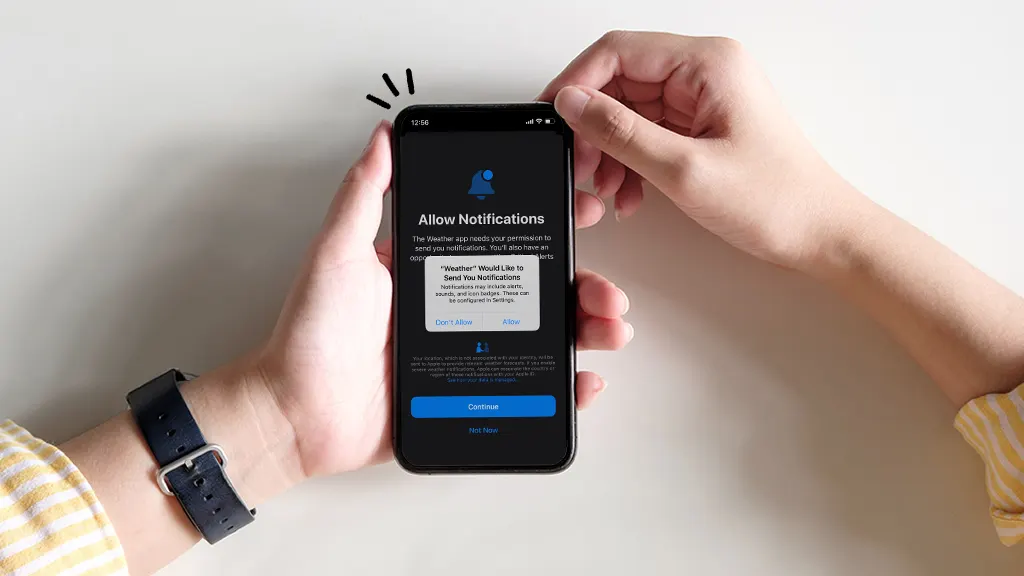
Severe weather can change quickly, leaving families with little time to decide whether to stay home, move to a safer room, delay travel, or prepare for evacuation. Weather alert apps give American households faster access to warnings, forecasts, radar information, and local emergency updates. However, installing an app does not automatically create a dependable storm plan.
Families need to choose reliable alert sources, enable the correct settings, understand warning language, and maintain backup communication methods. Reviewing practical storm preparedness information can help households connect digital alerts with clear safety actions.
A useful weather app should reduce confusion rather than create a constant stream of notifications that people eventually ignore.
Choose an App With Local Alerts
Weather conditions may vary widely across a state, county, or city.
Select an app that provides location-based alerts.
Check whether notifications follow the phone’s current location or only a saved home address.
People who commute, travel, attend school, or work in another county may need alerts for several locations.
Add important places such as home, work, school, relatives’ homes, vacation properties, or frequently visited communities.
Avoid saving too many locations because excessive notifications may become distracting.
Review alert settings after travel.
Some apps continue sending information for temporary destinations after the user returns home.
Families can learn from practical weather planning experiences when deciding which locations should receive priority notifications.
Understand Watches and Warnings
Weather terminology matters.
A watch generally means conditions are possible or favorable for a dangerous event.
A warning often means hazardous weather is occurring, expected soon, or requires prompt action.
Families should learn how local agencies describe tornadoes, floods, severe thunderstorms, winter weather, hurricanes, heat, and other threats.
Do not wait until an alert appears to search for the meaning.
Discuss warning terms with children and older relatives.
Use simple household rules.
For example, a tornado warning may mean everyone moves immediately to the selected shelter area.
A flood warning may require avoiding certain roads or preparing to move to higher ground.
Clear actions reduce delay.
Enable Emergency Notifications
Some users install weather apps but leave important notifications disabled.
Open the phone settings and review permissions.
Allow notifications for urgent weather information.
Check sound, vibration, lock-screen display, and emergency alert options.
Make sure important alerts are not silenced by battery-saving features.
Test notification settings when the app provides an approved test option.
Avoid turning off all warnings because of frequent low-priority messages.
Adjust categories instead.
Keep serious safety notifications active.
Useful emergency alert guidance may help families create settings that provide important information without overwhelming users.
Avoid Notification Fatigue
An app that sends too many alerts may become easy to ignore.
Separate urgent warnings from routine forecasts.
Limit marketing notifications, daily summaries, and unnecessary updates.
Choose distinct alert sounds for severe conditions when possible.
Do not use the same sound for every ordinary phone notification.
Family members should recognize the emergency tone.
Review settings during different seasons.
Winter weather alerts may matter more in northern states, while hurricane notifications may become a priority in coastal regions.
Keep the system relevant to local risks.
Use Radar Carefully
Radar can help users understand where rain, storms, snow, or severe weather may be moving.
However, radar images should not replace official warnings.
Storm movement can change.
Visual information may be delayed, incomplete, or misunderstood.
Do not use a radar map as permission to ignore an evacuation order or tornado warning.
Families should focus on approved safety instructions.
Learn basic map symbols before severe weather begins.
Avoid making complicated predictions without proper training.
The goal is awareness, not amateur forecasting.
Keep More Than One Alert Source
Mobile applications depend on phones, batteries, networks, internet access, and software.
Any of these may fail during a major storm.
Maintain a backup source.
A battery-powered or hand-crank weather radio may provide important updates during power and internet outages.
Local television and radio may also provide emergency information when service remains available.
Write important emergency phone numbers on paper.
Keep portable phone chargers ready.
Broader family weather readiness ideas can help households create communication plans that do not depend on one device.
Keep Phones Charged Before Storms
Charge phones when severe weather is expected.
Recharge portable power banks.
Keep charging cables together.
Avoid using all battery power on entertainment during an outage.
Reduce screen brightness.
Close unnecessary applications.
Download important information before service becomes unreliable.
Make sure children’s devices are also charged when they receive household alerts.
Do not assume every family member carries a fully powered phone.
A shared emergency charger may need clear household rules.
Set Alerts for Older Family Members
Older adults may need help installing apps and adjusting notifications.
Use larger text and clear display settings when available.
Choose simple interfaces.
Avoid creating multiple apps that provide duplicate warnings.
Show family members how to open alerts and find local instructions.
Check that notification sounds are loud enough.
People with hearing limitations may need vibration, flashing alerts, connected devices, or other approved communication methods.
Review settings after phone updates.
Software changes may alter permissions.
Teach Children How to Respond
Children should understand that weather alerts require attention but should not create panic.
Explain common warning sounds.
Show older children where emergency information appears.
Teach them to contact a trusted adult.
Children should know the household shelter location.
They should not leave the home to watch storms.
Avoid giving young children responsibility for interpreting warnings.
Adults should make safety decisions.
Practice simple responses during calm weather.
Use Alerts During Travel
Storm risks may change during road trips.
Enable location access when appropriate.
Check conditions before leaving.
Monitor warnings along the route.
Do not study radar maps while driving.
A passenger may review information, or the driver should stop in a safe location.
Avoid traveling toward severe weather.
Road closures, flooding, snow, low visibility, and strong wind may develop ahead.
Follow official travel instructions.
Allow extra time.
Delaying a trip is safer than trying to outrun dangerous conditions.
Review Privacy and Account Settings
Weather apps may request location, notification, background activity, or account permissions.
Review what information is collected.
Use only permissions required for desired features.
Install apps from trusted sources.
Keep software updated.
Avoid using weak or repeated passwords when an account is required.
Remove applications that are no longer used.
Check whether location tracking remains active after travel.
Balance useful alerts with reasonable privacy choices.
Create Household Alert Responsibilities
Assign one adult to monitor detailed weather information during major events.
Another adult may gather supplies, assist children, check on older relatives, or prepare pets.
Avoid having everyone search different sources and share conflicting reports.
Use one family group message for verified updates.
Keep messages short.
Share location, safety status, and immediate needs.
Do not spread rumors.
Official warnings should guide major decisions.
Connect Alerts to a Shelter Plan
An alert becomes valuable when families know what to do next.
Choose safe areas before storm season.
Keep emergency supplies nearby.
Practice reaching shelter locations.
Know evacuation routes.
Include pets.
Prepare medications and medical equipment.
Discuss school and workplace procedures.
A tornado alert may require immediate shelter.
A hurricane notification may provide time for property preparation or evacuation.
Different hazards need different responses.
Update Apps and Saved Locations
Review weather applications several times each year.
Install updates.
Remove old locations.
Add new schools, workplaces, or family addresses.
Check notification permissions.
Delete duplicate apps.
Test alert sounds.
Recharge backup devices.
Update emergency contacts.
Make these reviews part of seasonal preparation.
Weather alert apps can provide valuable early information, but technology works best when it supports a practiced family plan. Reliable notifications, clear warning knowledge, charged devices, backup communication, and familiar shelter procedures can help American households respond more confidently when severe weather approaches.